 Printing an Invoice
Invoices > Printing an Invoice
Printing an InvoiceTo print an invoice:
1. From the Finances Main Menu,
in the Invoices Module
group, click Manage to display the Invoice Data Management Center.
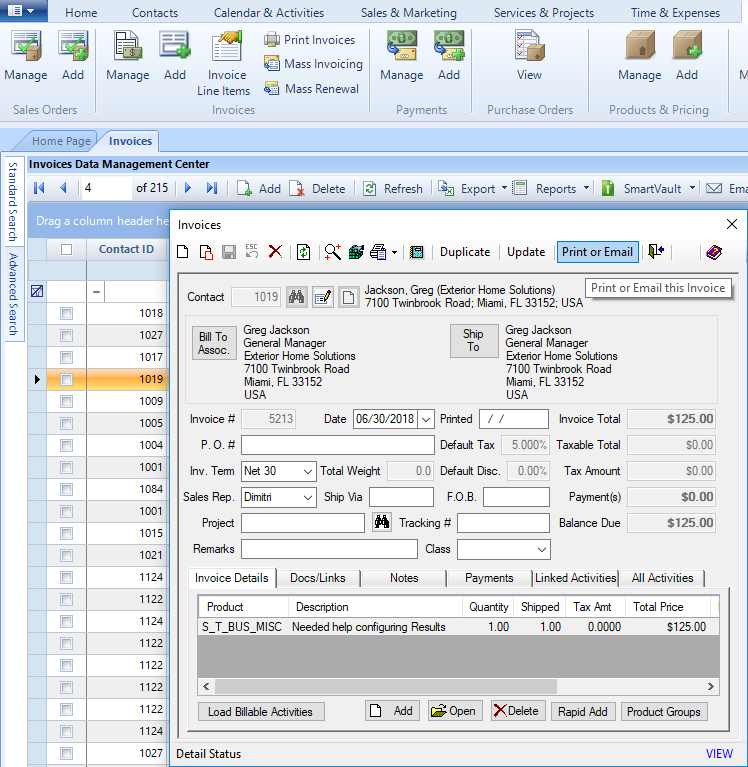
● Double-click on the Invoice you would like to open.
2. Click Print or Email
in the toolbar to display the Invoice Reports
screen.
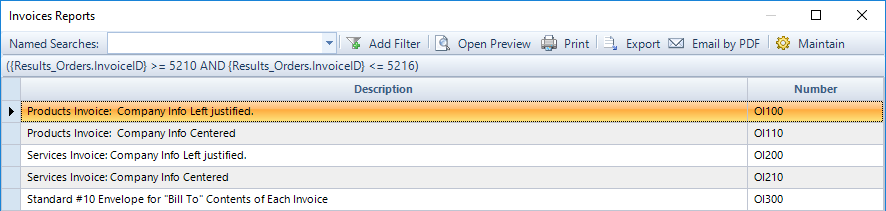
● Highlight the preferred layout for your invoice.
o Click Print to print the report.
ResultsCRM User Help (August 2018)
